Objectives
By the end of this lesson you will be able to…
- Understand the term client-server model.
- Understand the term peer-to-peer network.
- Understand the term cloud computing.
- Give some advantages and disadvantages for each of the above.
Starter
Describe what happens when you request a web page in a browser. The six steps below are jumbled up — click them in the correct order, starting from the moment you press Enter.
💡 Click the step you think happens first.
Servers
Servers are powerful computers dedicated to carrying out a service — such as the delivery of web pages. They don't have their own screens or keyboards; they just sit in racks doing their job 24/7.
The client-server model
In the client-server model, computers called clients request services from a central server, and the server responds. Here's a small local network — like your school's — with four clients connected to one server.
💡 Click a computer to switch it off — watch what happens to the others. Then try making the server fail…
🌍 The Internet is a client-server model too
The exact same model works at a global scale. When you request a web page, your browser is the client — and the server might be on the other side of the world.
💡 Click "Request a web page" to watch the client-server model in action.
The client-server model is used for…
Click each card to find out what that type of server does.
Advantages & disadvantages
Discuss with a partner, then click to reveal.
✅ Advantages
⚠️ Disadvantages
Data centres
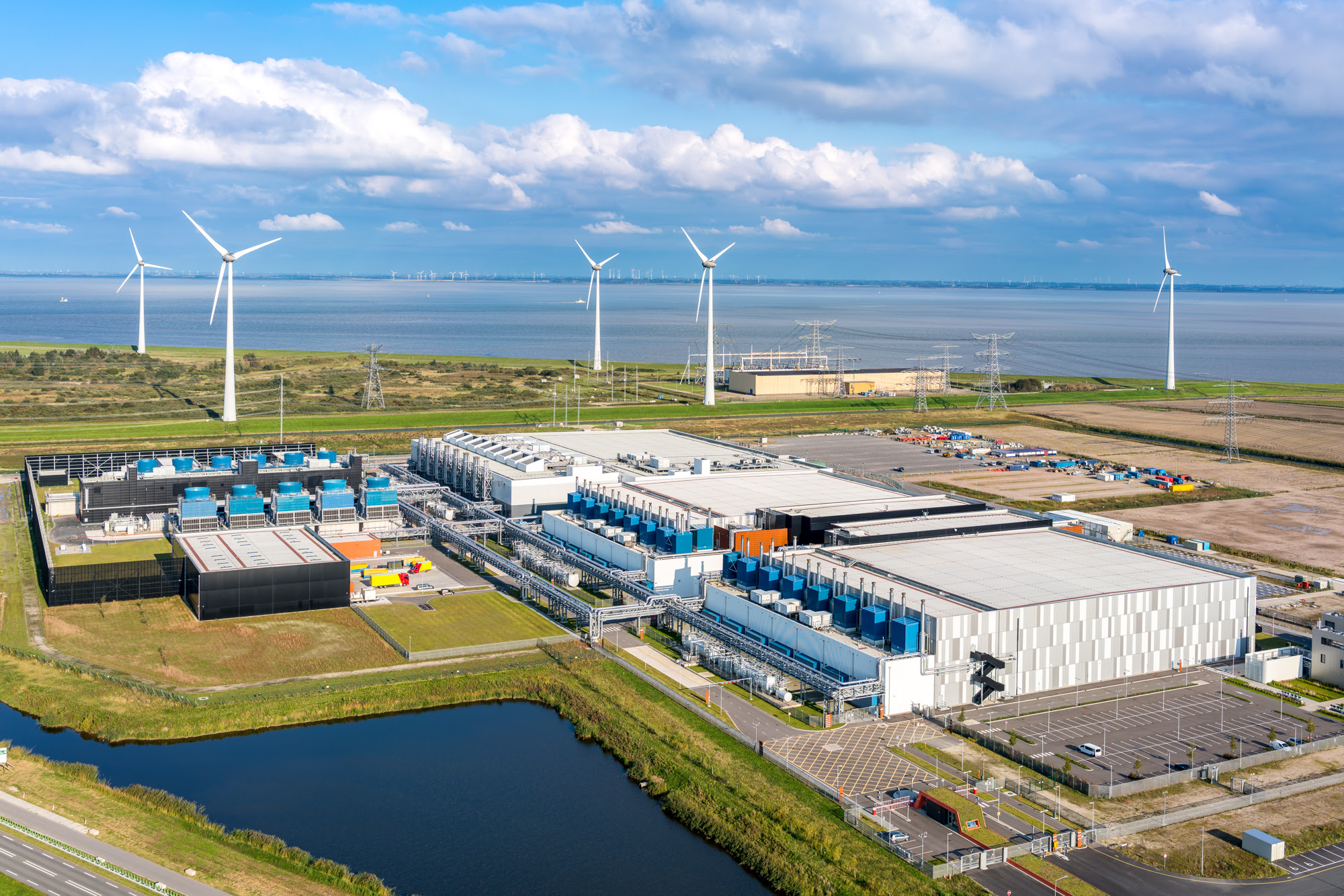
Where do the servers behind the world's websites and apps actually live? In data centres — huge buildings that contain thousands of servers, stacked in row after row of cabinets.
🎥 Take a look inside a real one
This news report goes inside one of Google's data centres — look out for the racks of servers, the cooling systems and the sheer size of the buildings.
 ▶
🎥 Click to watch: Inside a Google data centre
▶
🎥 Click to watch: Inside a Google data centre
This is one of Google's real data centres — notice the wind turbines powering it and the blue cooling plants on the roofs.
What are data centres used for?
Almost everything you do online ends up at a data centre. Click each card for examples.
Peer-to-peer networks (P2P)
In a peer-to-peer network there is no central server. Each computer is an equal — a peer — and each peer can share its resources (printers, scanners, storage) with the others.
💡 Click a computer to switch it off, or click a cable to break it — then run the demos and see what still works. Notice there's no server anywhere!
Advantages & disadvantages
What are the advantages and disadvantages of peer-to-peer networks? Discuss, then click to reveal.
✅ Advantages
⚠️ Disadvantages
Side-by-side comparison
Click each row to compare client-server vs peer-to-peer. The green badge shows which one wins that category.
Everything is stored in one central place — back up the server and you've backed up everyone.
Every computer needs its own backup system.
There is one central location to protect and keep secure.
Every computer needs to be secured individually.
The whole network can be administered from one place — the server.
There is no central point to the network, so each peer is managed separately.
A powerful, dedicated server has to be bought — and maintained.
No dedicated server hardware needs to be bought — existing computers do the work.
If the server fails, no-one can access the services it offers.
If one computer fails, files on the other computers are still available.
🗄️ Pick client-server when…
You're a school or business that needs central backups, security and administration — and can afford a server.
🤝 Pick peer-to-peer when…
You have a small home or office network and just want to share printers and files cheaply, without buying a server.
Cloud computing
The Cloud is essentially another name for the Internet. "Cloud computing" covers services that are offered via the Internet instead of running on your own computer.
Cloud services include…
Click each card for examples you probably use already.
Plenary
Work with a partner. Match each networking word on the left to its definition on the right.
Key terms
Click each term to reveal its definition.
🎉 End of Lesson 4